Uploading a Patch
Every patch file must be uploaded to Orchestra before it can be applied. To upload a new patch, access the web interface and select the Patching view from the Administration category in the left-hand navigation bar.
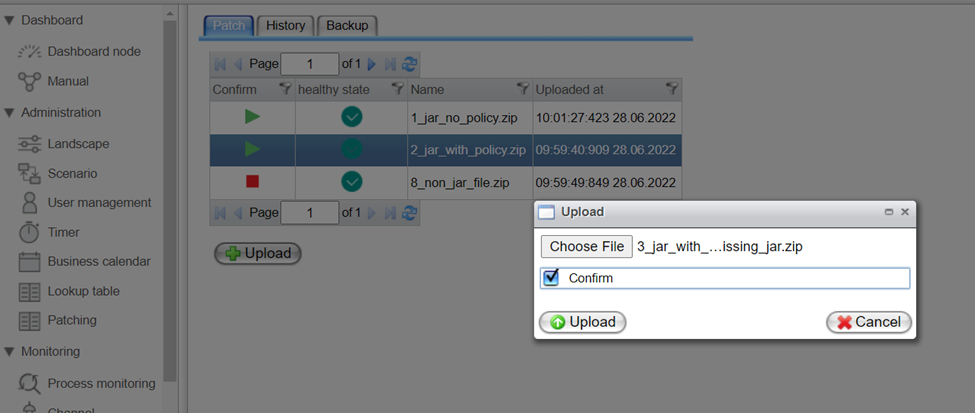
As shown in the screen below, click the Upload button. A dialog will appear, allowing you to open the file browser and select the patch file (.zip) you wish to upload.
Once you have selected the patch file, you can set the confirmation to patch by checking the Confirm checkbox. Click the Upload button to prepare the patch for Orchestra.
In cluster mode, the patch will be uploaded to all nodes within the cluster.